
Universal Metadata
Parses prompt, model, steps, CFG, sampler, seed and workflows from ComfyUI, Stable Diffusion (A1111, Forge, Fooocus), InvokeAI, Midjourney, DALL·E 3, Firefly and more — even from WebP.
11+ TOOLSSILKSTACK IMAGE BROWSER — LOCAL AI FOR YOUR AI IMAGES
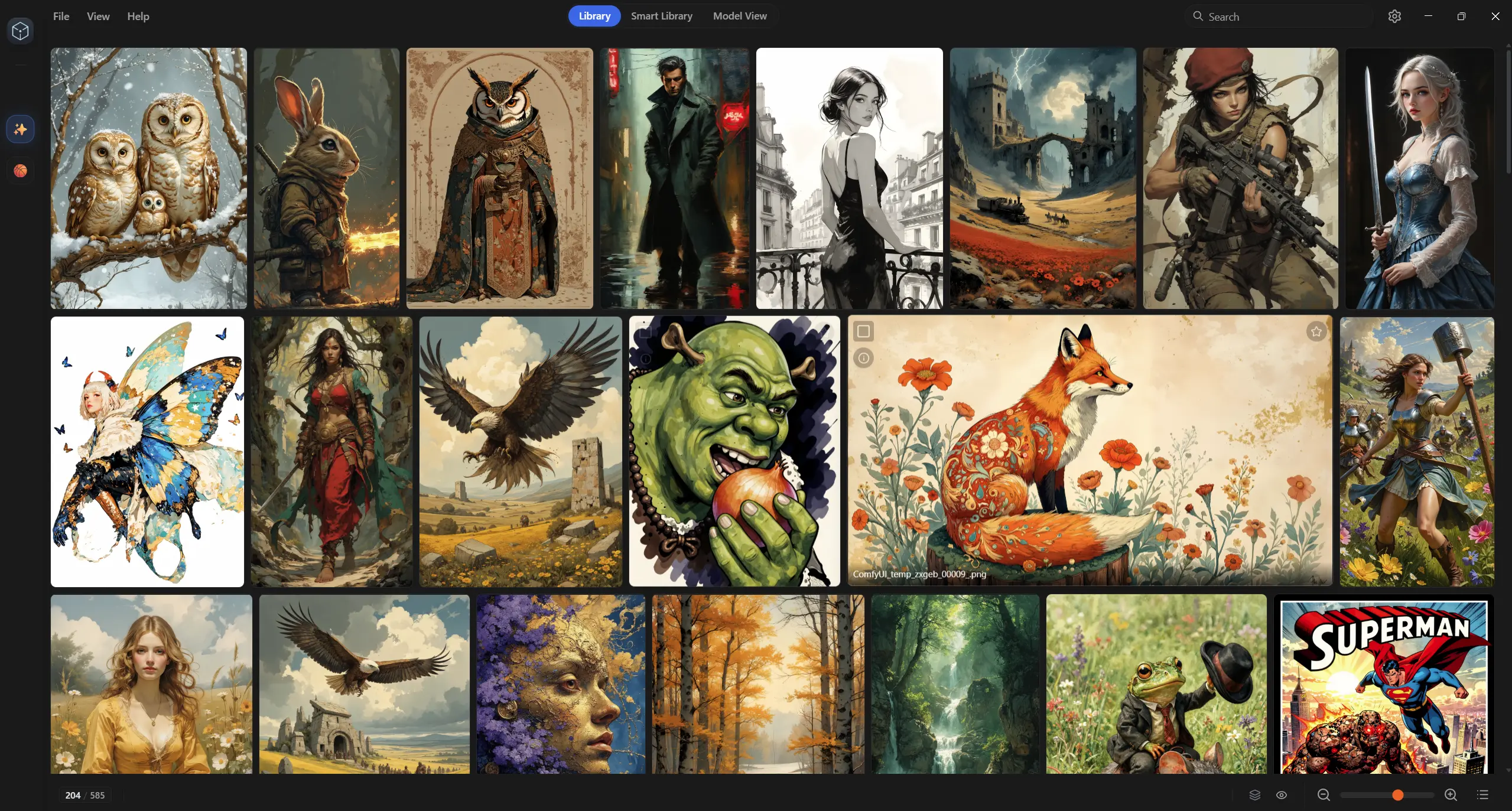
A free, local image viewer and organizer for AI-generated images — built for ComfyUI, Stable Diffusion and A1111 workflows. It reads the prompt, model, seed and workflow from your files, then adds on-device AI: semantic search, auto-tagging and similarity stacks. No accounts. No cloud. Everything on your machine.
ABOUT
Every AI artist accumulates thousands of images — with their secrets hidden in the metadata. SilkStack Image Browser is a local image viewer and organizer that reads those secrets and turns your output folders into a searchable, taggable, beautifully rendered library. All offline, all on your machine.
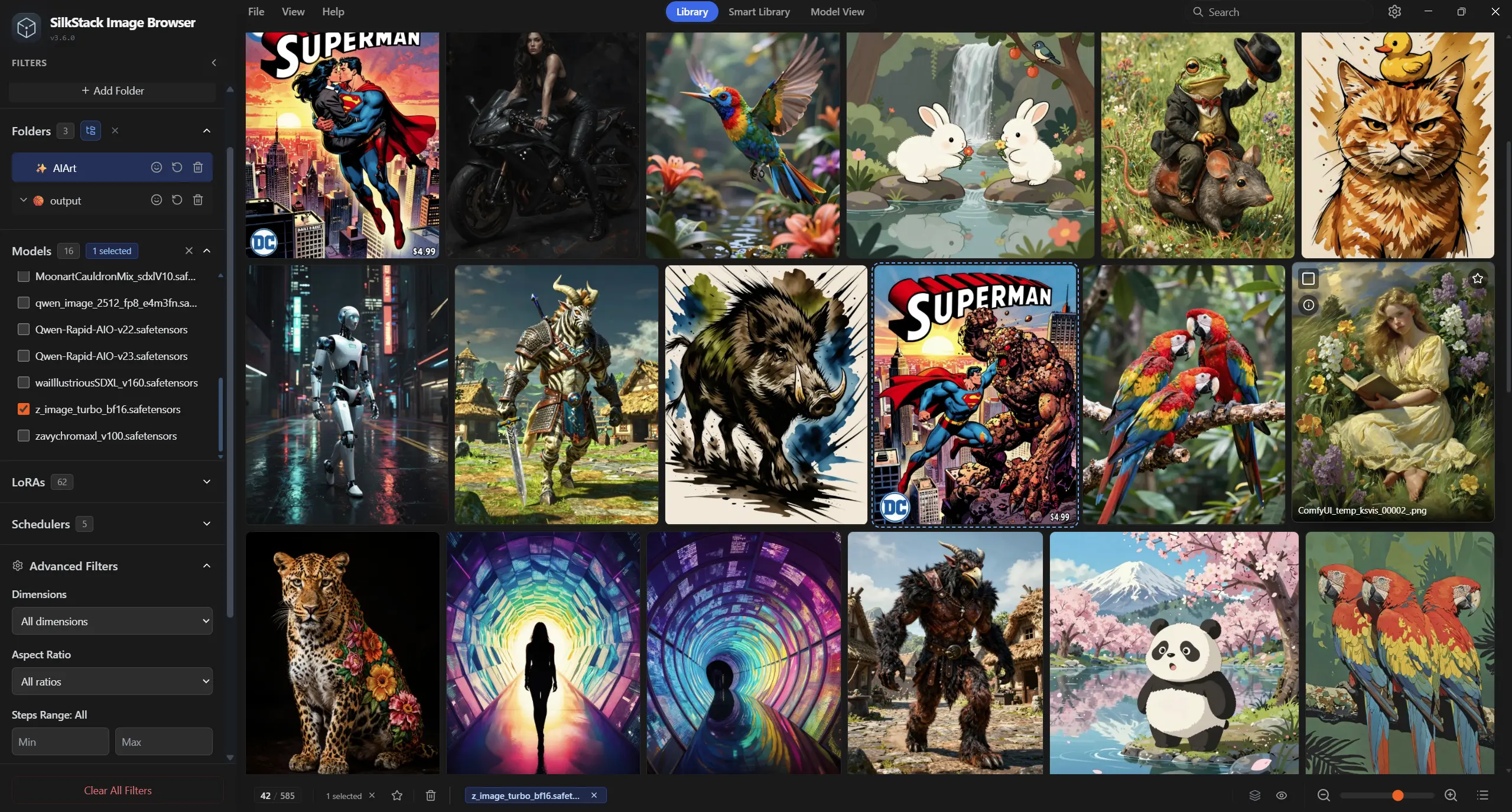
SilkStack Image Browser scans your folders and parses rich metadata from ComfyUI, Automatic1111 and a dozen other tools — reading everything from the prompt and model to the sampler, CFG, seed and even the full workflow graph. What you get back is a library you can actually live in.
FEATURES
Six things a local AI image viewer has to get right — hover them, they feel the way they should.
Parses prompt, model, steps, CFG, sampler, seed and workflows from ComfyUI, Stable Diffusion (A1111, Forge, Fooocus), InvokeAI, Midjourney, DALL·E 3, Firefly and more — even from WebP.
11+ TOOLSA beautiful thumbnail grid that auto-adjusts to every image's aspect ratio, with buttery smooth scrolling — even when your folder holds 100,000 generations, videos and GIFs included.
SMOOTH-SCROLLPoint it at your output folders and watch new images appear in real time, the moment your sampler finishes. No refresh, no rescan, no waiting.
LIVE-INDEXFind anything by prompt text, model, steps, CFG, sampler or seed — or switch on semantic search and find it by meaning. Filter by portrait, landscape or square; sort by date, name or relevance. Your full history, queried in a keystroke.
CTRL+KDrag any image back into ComfyUI to instantly reload its prompt and workflow graph. Works with Photoshop, Discord and your file explorer too.
DND-READYLLM auto-tags plus your own manual tags, similarity stacks that group near-identical and duplicate generations, collections, folders with emoji icons, and removable drives — including encrypted ones.
LIBRARY-OSAI INTELLIGENCE
Semantic search, automatic tagging and similarity stacks — run by small AI models on your own GPU through WebGPU. No cloud service, no account, no API keys, and your images, prompts and tags are never uploaded anywhere.
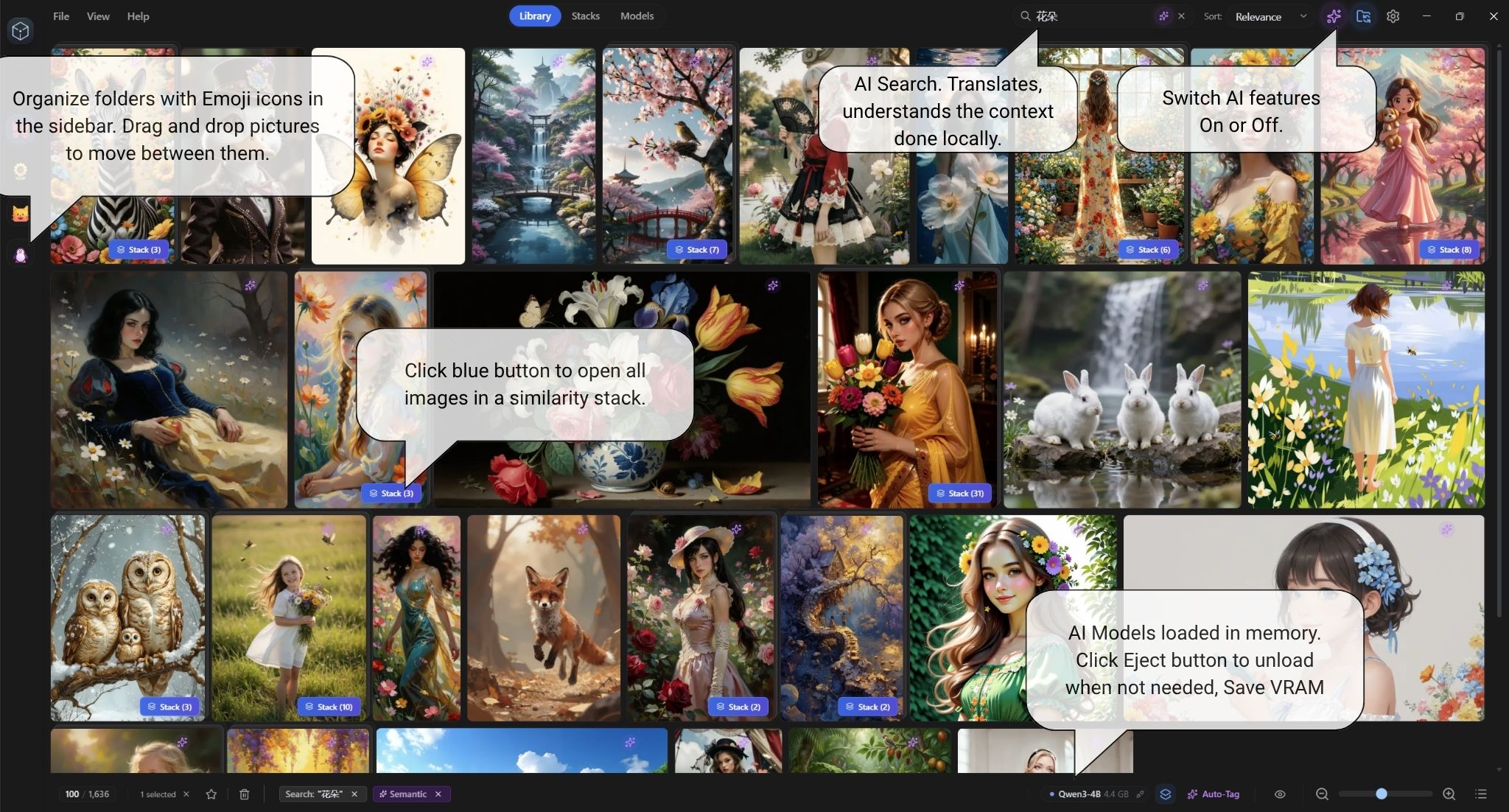
Keyword search matches words; semantic search matches meaning. Describe an image loosely — “a girl with a puppy in a palace” — and SilkStack finds generations whose prompts mean the same thing, even when they share almost no words, and even in another language.
MEANING, NOT WORDSA small local LLM reads the prompt inside every image and writes up to 15 searchable tags — subjects, styles, lighting, concepts — including synonyms and alternate phrasings a searcher might type. Tags sit alongside your manual ones, and an interrupted run resumes where it stopped.
UP TO 15 TAGS / IMAGEPrompts are embedded with the same local model that powers search, so reworded, translated and synonym-only variations land in the same stack. Group by Prompt, Model or Loras, and highlight exactly which words changed between two generations.
VECTOR GROUPING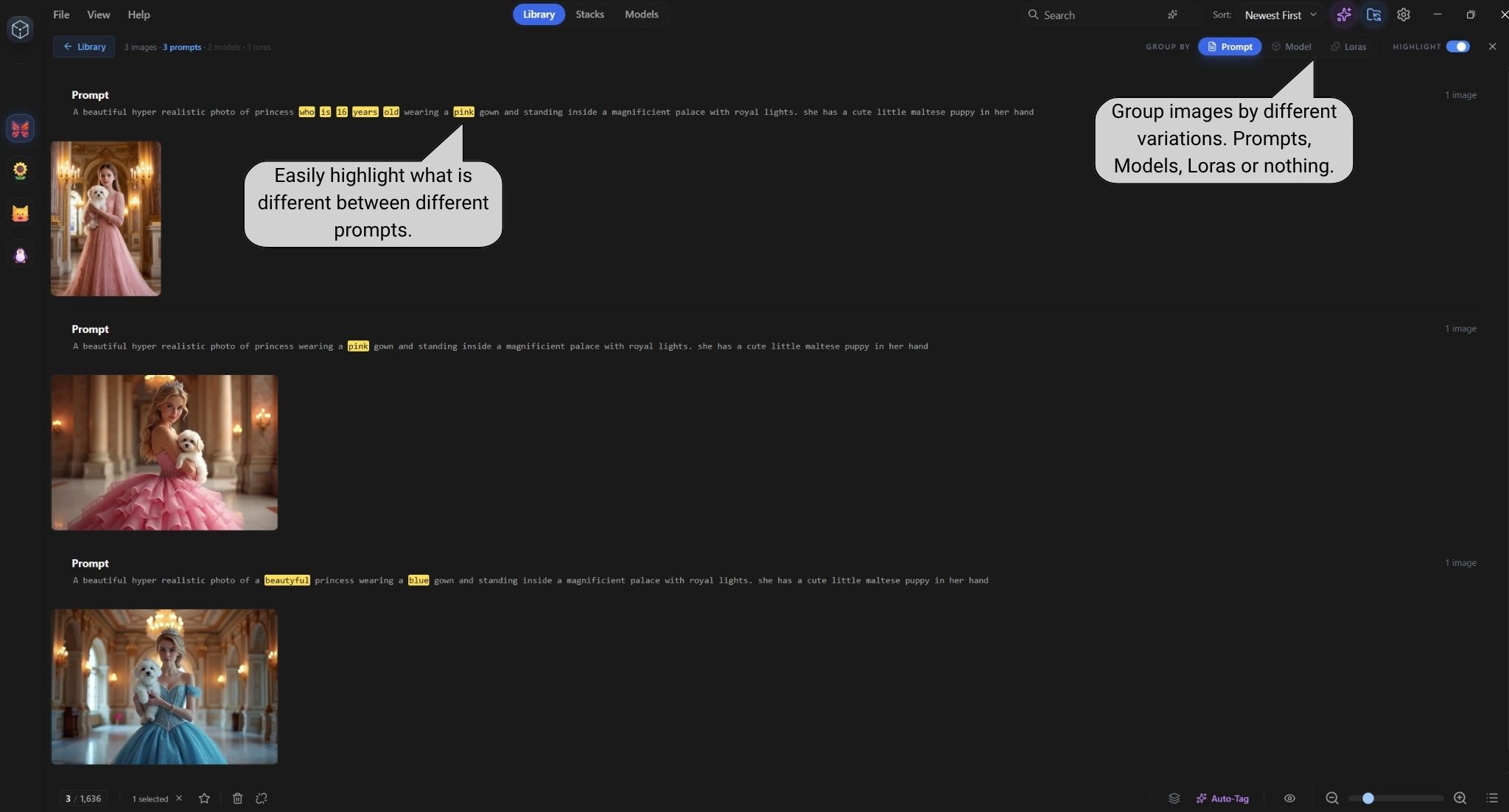
A folder holding forty variations of the same idea becomes a few tidy cards. Vector similarity is what makes the grouping smart: prompts are compared by what they mean, not just how they are worded, so “a girl in a pink gown” and “a princess wearing a pink dress” end up in the same stack.
Local AI is only worth it if you stay in control of it. SilkStack shows exactly which models are loaded, how much VRAM they hold, how much disk they take — and gives you a switch for all of it.
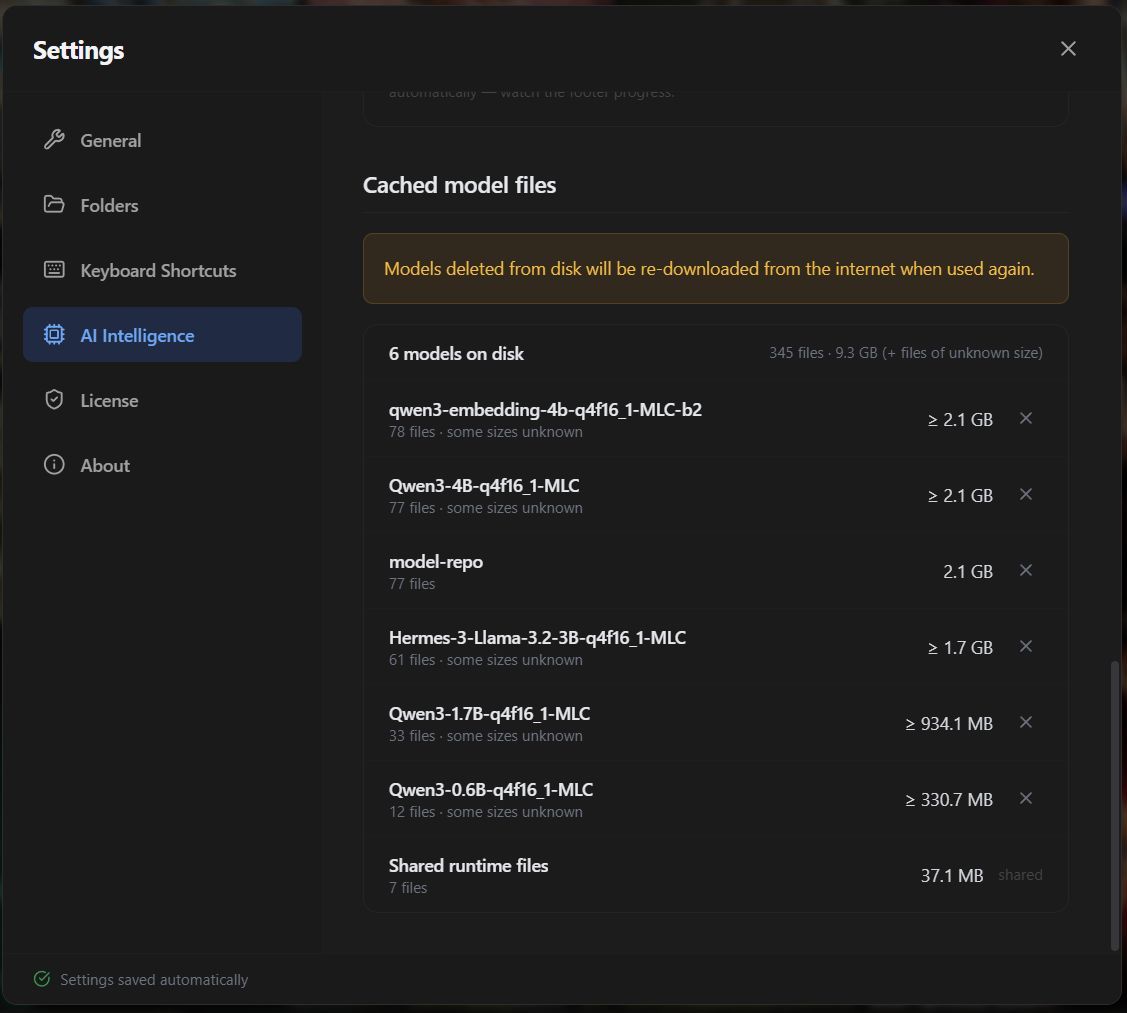
Every AI feature runs on your own hardware via WebGPU — the only network access is the one-time model download. The AI pack is unlocked by a premium license — a monthly plan with a 7-day free trial, or a one-time lifetime purchase; the browser itself stays free and open source.
SHOWCASE
Real screenshots from the actual app, running on a real machine.
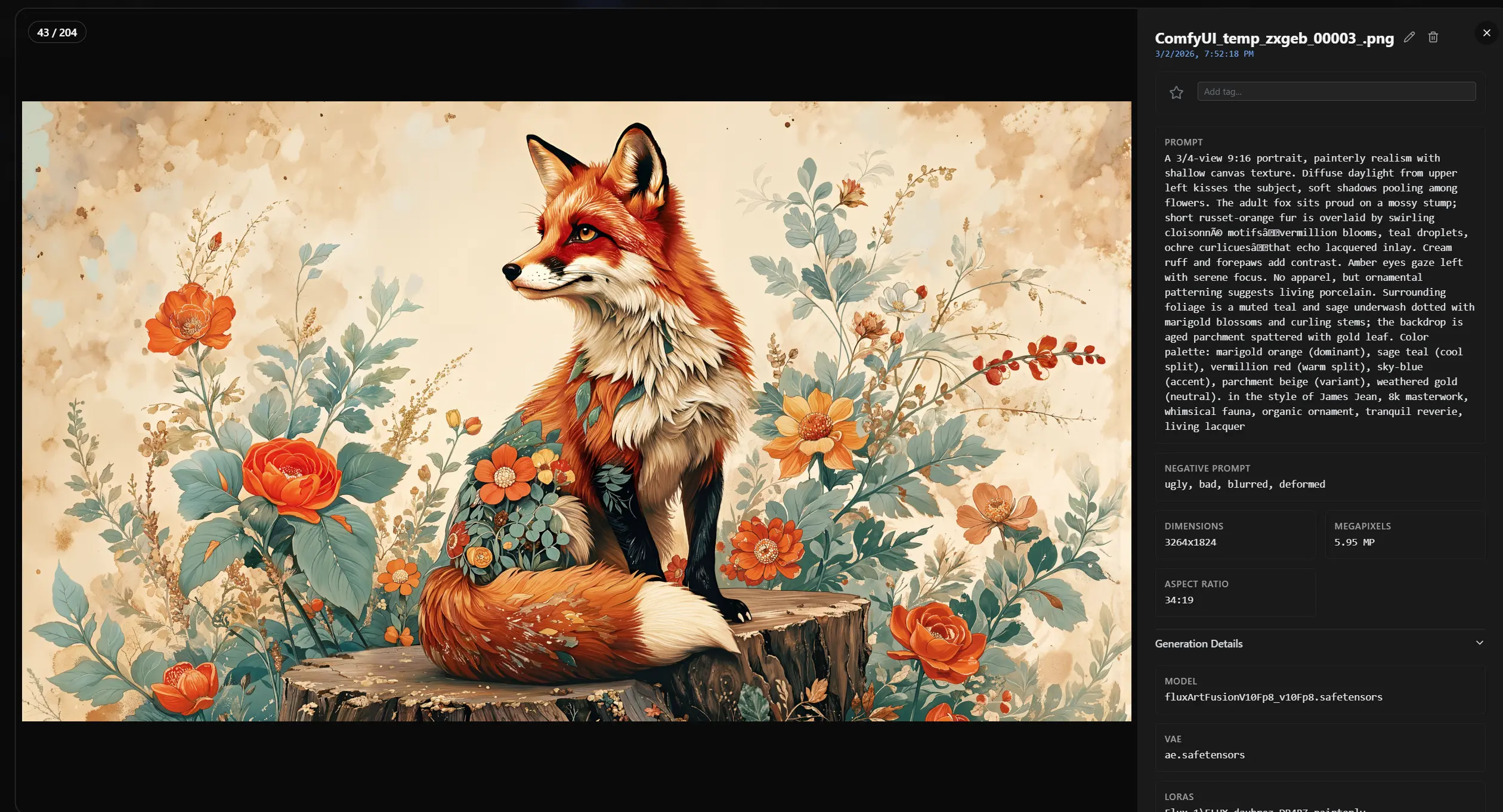
Every pixel is rendered locally. Your images never leave your machine — the interface doesn't either.
SUPPORT
SilkStack is built in the open. GitHub Issues is the one place everything is tracked — bug reports, feature requests and setup or licensing questions alike — so nothing gets lost and everyone can search the answer.
Tell us what happened and we'll take it from there. It's the fastest route to a fix, and there's no form to fill in — just a title and a description.